
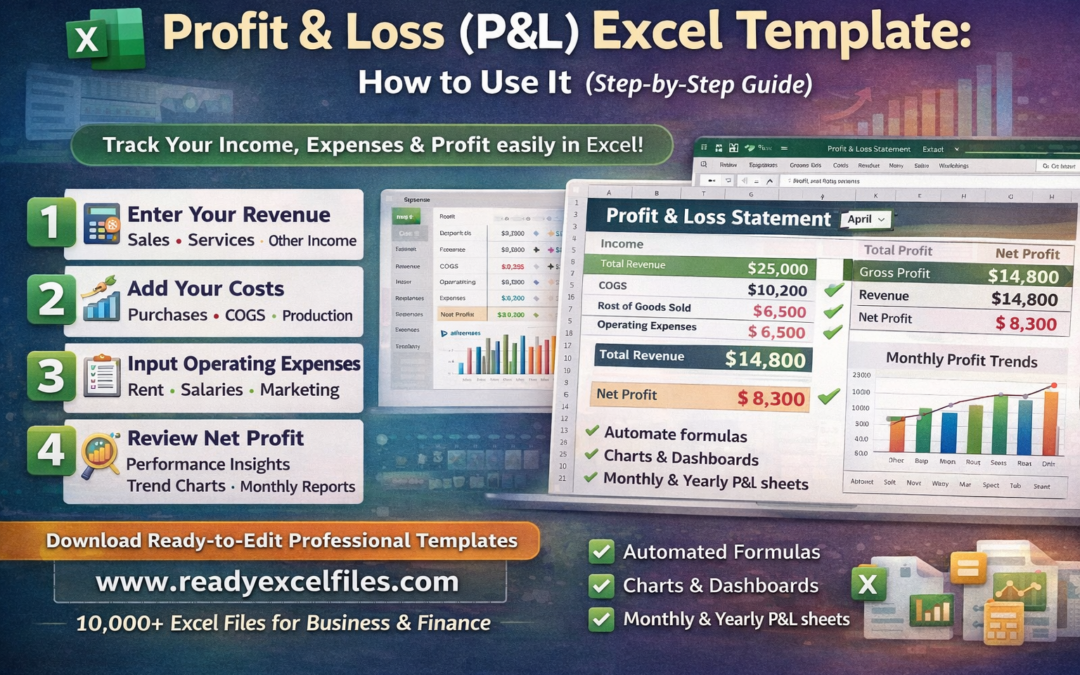
Profit & Loss (P&L) Excel Template: How to Use It (Step-by-Step Guide)
📊 What Is a Profit & Loss (P&L) Statement?
A Profit & Loss statement (also called an Income Statement) shows:
Profit & Loss (P&L) Excel template
Total Revenue (Sales)
Cost of Goods Sold (COGS)
Gross Profit
Operating Expenses
Net Profit (or Loss)
It answers one important question:
“Is my business actually making money?”
✅ Why Use a P&L Excel Template?
Using Excel gives you:
✔️ Full control over calculations
✔️ Easy customization
✔️ Automatic totals & formulas
✔️ Monthly & yearly comparison
✔️ Clean printable format
✔️ Charts and dashboards
Instead of manually calculating numbers, Excel formulas do everything instantly.
📁 What’s Inside a Professional P&L Excel Template?
A well-designed P&L template (like the ones available at ReadyExcelFiles.com) usually includes:
1️⃣ Revenue Section
Product sales
Service income
Other income streams
Total revenue auto-calculated
2️⃣ Cost of Goods Sold (COGS)
Raw materials
Inventory cost
Production cost
3️⃣ Gross Profit Calculation
Gross Profit = Revenue – COGS
4️⃣ Operating Expenses
Rent
Salaries
Utilities
Marketing
Software subscriptions
Miscellaneous expenses
5️⃣ Net Profit Formula
Net Profit = Gross Profit – Operating Expenses
Everything updates automatically when you change values.
🛠 Step-by-Step: How to Use a P&L Excel Template
Step 1: Enter Your Revenue
Open the template and input your:
Monthly sales
Service income
Other earnings
Excel will automatically calculate Total Revenue.
Step 2: Add Your Costs
Fill in:
Cost of goods
Purchase expenses
Direct production costs
The sheet will calculate Gross Profit instantly.
Step 3: Input Operating Expenses
Enter:
Office rent
Salaries
Marketing expenses
Internet & software
Utilities
The template calculates Total Expenses automatically.
Step 4: Review Net Profit
Now check:
Are you profitable?
Is your expense too high?
Which month performs best?
Most advanced templates also show:
📈 Profit trend charts
📊 Monthly comparison
📉 Expense breakdown graph
📅 Monthly vs Yearly P&L Tracking
A good Excel P&L template allows you to:
Compare month-to-month performance
Track yearly profit growth
Identify seasonal trends
Plan tax estimates
This is especially useful for:
Small businesses
Freelancers
Ecommerce sellers
Agencies
Startups
💡 Pro Tips for Better Financial Tracking
Update your P&L weekly (not yearly)
Separate personal and business expenses
Track small costs (they add up!)
Use charts for quick overview
Save backup copies monthly
🎯 Who Should Use a P&L Excel Template?
Small business owners
Online store owners
Amazon/Etsy sellers
Service providers
Consultants
Startup founders
Accountants
If you want financial clarity, you need a P&L sheet.
🚀 Download Ready-Made P&L Excel Templates
Instead of building formulas manually, you can download ready-to-edit professional Profit & Loss Excel templates from:
👉 https://www.readyexcelfiles.com
You get:
10,000+ ready Excel files
Business dashboards
Financial statements
Budget planners
Invoice & accounting templates
Editable & multi-format Excel sheets
Perfect for saving time and working smarter.
📌 Final Thoughts
A Profit & Loss (P&L) Excel template is one of the most important tools for any business.
It gives you:
Financial clarity
Better decision making
Expense control
Profit tracking
Growth insight
Start tracking your business performance today with professional Excel templates from: